Sees behind the login
Run linssi browser once and sign in. Every capture through it sees your app the way you do, not the sign-in form.
$ linssi browser
$ linssi --connect 9222 \
    localhost:3000/billing
Agents work on pages they cannot see. Linssi gives them sight: one call returns one screenshot of the real page, signed in, fully rendered, and sized so the model can read it.
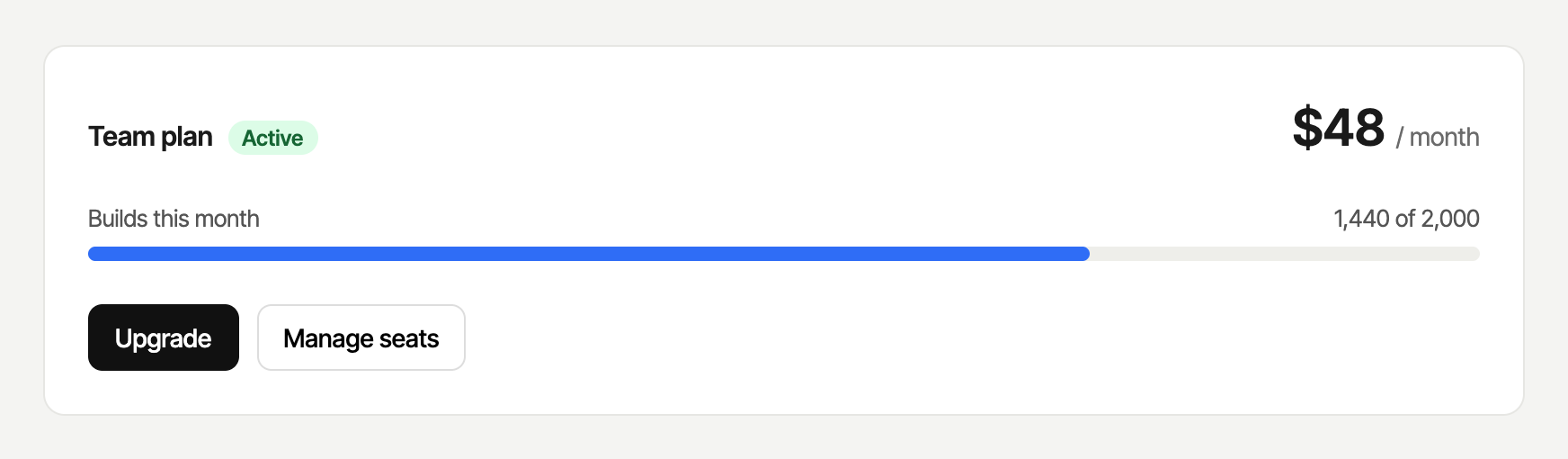
$ linssi --selector '#plan' localhost:3000/demo/billing/Runs on our demo app and shows the real shot. Linssi itself runs on your machine.
Run linssi browser once and sign in. Every capture through it sees your app the way you do, not the sign-in form.
$ linssi browser
$ linssi --connect 9222 \
localhost:3000/billing
Every image fits a pixel budget. Tall pages come back as ordered, readable tiles instead of one strip too small to read. These are tiles of this page.
Login redirects, blank pages, console errors and content that never settled come back as warnings, before the agent looks.
"final_url": ".../login?next=/settings",
"warnings": [
  "redirected to a login page"
]
$ linssi --selector '#plan' --padding 24 \
    localhost:3000/demo/billing/
$ curl -fsSL https://linssi.app/install | sh$ claude mcp add linssi -- linssi mcpCodex: codex mcp add linssi -- linssi mcp. Cursor and other MCP clients: command linssi, args ["mcp"].
The CLI and MCP camera. Signed-in captures, pixel budgets and tiles, warnings, freeze, hide and mask. Open source.
Install LinssiNot available yet. Visual before-and-after diffs, screenshots on every pull request, many pages in one agent call, team-shared sessions, email support.
Join early accessCI at scale without a local browser, capture history, and private deployment.
Join the waitlist